
Download bSafe – safety app, emergency alert, location tracking, personal security, GPS tracker, real-time tracking, emergency contact, mobile safety tool, safety tracker, digital safety
Overview
bSafe is a free professional safety application designed for smartphone users seeking reliable personal security solutions. The software addresses growing concerns about safety in both urban and remote environments, offering tools that support users during emergencies and everyday situations. It is particularly suited for individuals who frequently travel, exercise alone, or reside in areas with heightened safety risks. By leveraging real-time GPS tracking, bSafe enables users to share their location with trusted contacts, ensuring that help can be summoned quickly when needed.
The app supports multiple safety modes, including real-time location sharing and a check-in feature that confirms arrival at a destination. This functionality is especially useful for travelers, remote workers, or anyone engaging in solo outdoor activities. Users can also activate a Guardian Alert in emergencies, which sends an immediate notification to their designated contacts along with their current location. While the developer, bSafe, is known for prioritizing user privacy and security, specific technical details about data handling were not provided.
Real-world applications include jogging at night, visiting unfamiliar locations, or attending events alone. The app’s simplicity and accessibility make it a practical choice for both casual users and those requiring consistent safety monitoring. Its availability on both Android and iOS ensures broad reach across mobile platforms.
Key Features & Capabilities
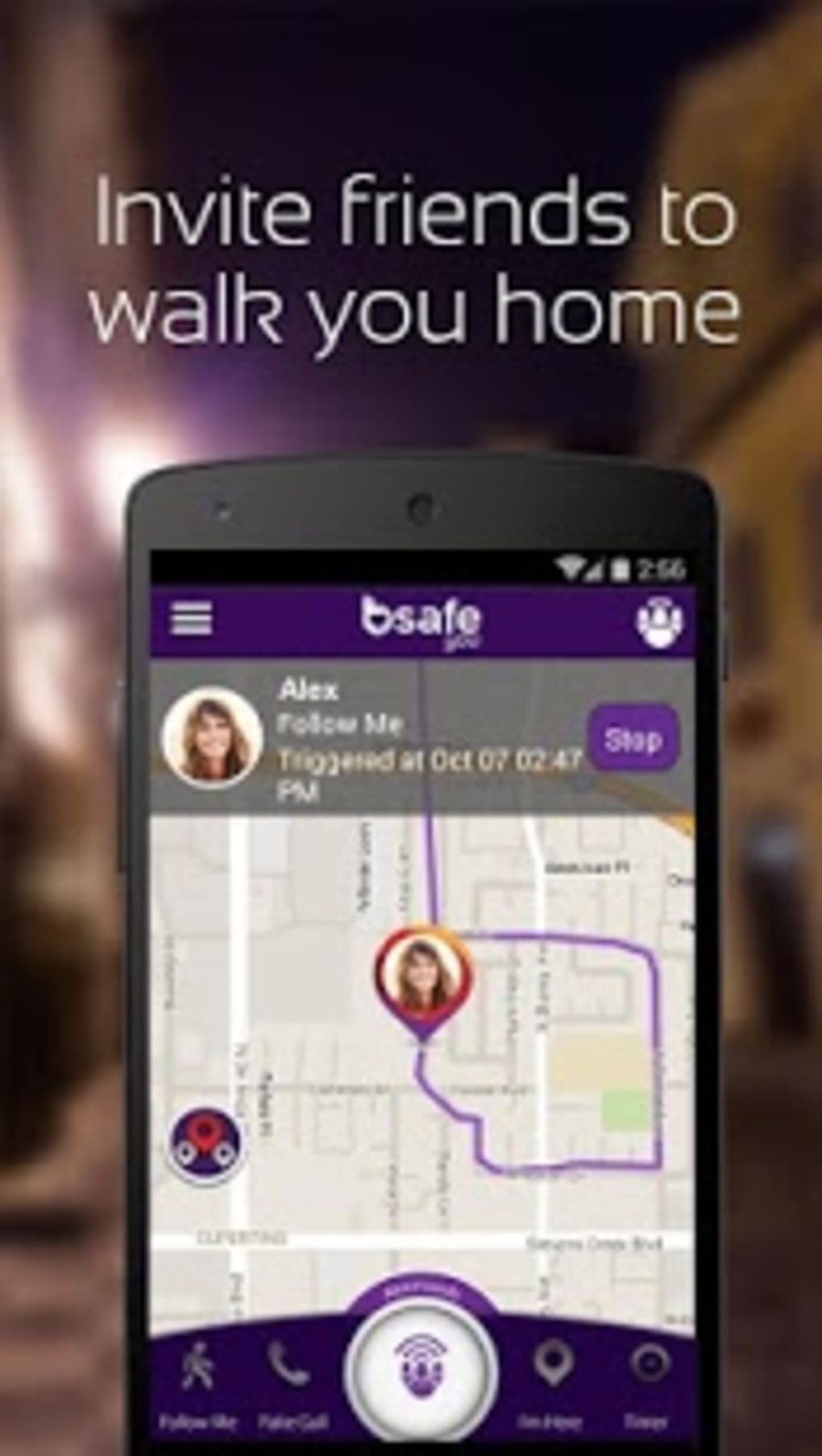
- Real-Time Location Tracking: Users can share their live location with friends or family, allowing them to monitor movement virtually in real time.
- ‘I Am Here’ Mode: A check-in feature that notifies contacts when a user has safely arrived at a specified destination, ideal for travel or appointments.
- Guardian Alert Button: A one-tap emergency function that triggers an alert with the user’s current GPS coordinates sent to pre-selected contacts.
- Timer Mode: Enables users to set a countdown; if no check-in occurs by the end of the timer, an alert is automatically sent to emergency contacts.
- Multi-User Location Sharing: Allows users to invite others to share their locations, enabling group tracking during outings or events.
These features are designed to enhance situational awareness and provide peace of mind. For example, a runner can activate real-time tracking before a night jog, ensuring that a friend can monitor their route. Similarly, a user traveling to a new city can use the ‘I Am Here’ mode to confirm safe arrival. The timer mode is particularly effective for individuals with fixed schedules, such as those working late shifts or attending isolated meetings.
Each function supports both emergency and non-emergency scenarios, making bSafe a versatile tool for personal security. The integration of GPS ensures accuracy in location data, though exact performance metrics were not specified by the developer.
User Interface, Workflow & Performance
The user interface of bSafe is designed for intuitive navigation, prioritizing quick access to critical functions. The main screen features clearly labeled buttons for key actions such as starting location sharing, activating the Guardian Alert, and setting a timer. Menus are organized logically, minimizing the number of taps required to initiate safety protocols.
Workflow efficiency is enhanced by the app’s streamlined design, allowing users to respond swiftly during high-stress situations. The one-tap Guardian Alert button ensures that emergency actions can be taken without delay. Navigation remains consistent across both Android and iOS platforms, maintaining a familiar experience for users regardless of device type.
Performance observations are based on general software behavior patterns. The app operates in the background without significant disruption to other tasks. However, the developer did not specify resource usage details such as CPU or RAM consumption. Stability during prolonged use was not independently verified, and exact performance behavior under low-battery or weak signal conditions remains unconfirmed.
Compatibility & System Requirements
bSafe is compatible with both Android and iOS operating systems, ensuring broad accessibility across mobile devices. The current version is 2.2.3, with an installation size of 32.4 MB, indicating a lightweight footprint suitable for most smartphones. While the app is free to download and use, specific hardware requirements such as minimum RAM or processor speed were not listed by the developer.
Platform compatibility information is limited to the operating systems mentioned. No details were provided about support for tablets, wearables, or other device types. Users should ensure their device meets standard system requirements for modern mobile applications. Exact system requirements were not listed.
Pros and Cons
Pros
- Free to download and use with no hidden costs
- Real-time GPS tracking for enhanced safety monitoring
- One-tap emergency alert with location sharing
- Multiple safety modes including check-in and timer functions
- Available on both Android and iOS platforms
Cons
- Exact system requirements and resource usage were not specified
- Limited information on data privacy and encryption practices
- No offline functionality mentioned
- Dependent on smartphone GPS and internet connectivity
- Performance under extreme conditions not documented
FAQ Section
Is bSafe available for both Android and iOS?
Yes, bSafe is available for both Android and iOS devices, ensuring compatibility with a wide range of smartphones.
Is bSafe safe to use? Does it protect user privacy?
bSafe is designed with personal security in mind. While the developer emphasizes user safety, specific details about data encryption and privacy policies were not provided.
How often does bSafe update?
The current version is 2.2.3, released on March 15, 2024. Regular updates are likely to maintain functionality and security, though update frequency was not specified.
Can I use bSafe offline?
There is no information indicating offline functionality. The app relies on GPS and internet connectivity for real-time tracking and alerts.
Is bSafe free to use?
Yes, bSafe is completely free to download and use. There are no subscription fees or in-app purchases mentioned.
Final Thoughts + CTA
bSafe stands out as a practical, accessible safety tool for individuals concerned about personal security. Its combination of real-time tracking, emergency alerts, and check-in features offers a comprehensive approach to digital safety. The app’s free availability and cross-platform support make it an attractive option for users across different demographics.
While detailed technical specifications and privacy practices are not fully disclosed, the app’s core functionality is well-executed and designed with user safety in mind. It is particularly beneficial for students, remote workers, solo travelers, and anyone engaging in activities where real-time location sharing is valuable.
For those seeking a reliable, no-cost solution to enhance personal security, bSafe delivers a strong value proposition. Download bSafe now to take proactive steps toward safeguarding your well-being.





.png)

